
PGR Manager guidance for Exam Panel Chairs
- Access to PGR Manager
- Navigating PGR Manager
- Contacting the examiners
- Downloading the thesis
- Pre-viva reports
- Scheduling the viva
- Post-examination reports
Access to PGR Manager
As an exam panel chair, you will need to ensure you have access to PGR Manager. It’s helpful if you can test logging in before you need it, so the PGR Manager team can deal with any issues.
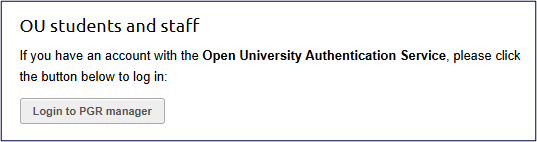
If you are an OU employee, log in via the PGR Manager home page, by clicking on “Login to PGR manager” under “OU students and staff” as shown in screenshot 1 below. This should automatically log you in via your normal OU account.
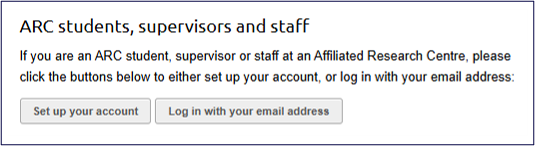
If you are part of an ARC, you’ll need click on “Log in with your email address” under “ARC students, supervisors and staff” as shown in screenshot 2 below. Your account will already have been created, so you do not need to set one up.
If you are having trouble logging in, please email the PGR Manager support team and ask for assistance at your earliest convenience.
Navigating PGR Manager
Once logged in, you should see bar across the top of the screen. You can search for people in the “Quick search” box, add items to you “Tray” so you can quickly find them again later, and any tasks which are waiting for you to action will show up in a box next to “Tasks”.

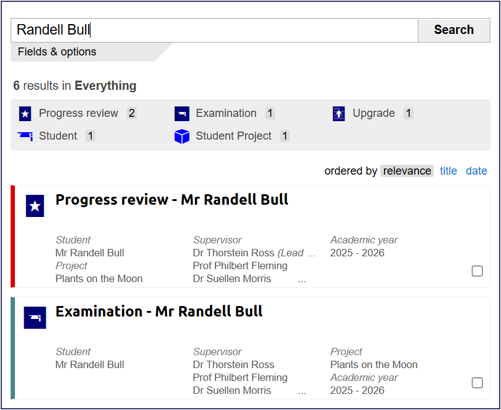
You can track the progress of the examination process by accessing the Examination page for the student whose exam you are chairing. You can search for the student in the search box (if you don’t have a direct link). This will bring up results, as shown in screenshot 4 below, and you can click on the Examination item.
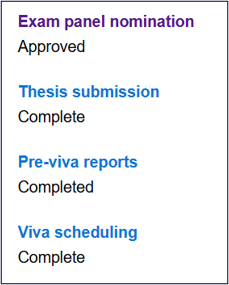
On the right side of the examination page, you’ll find links to the ‘Exam panel nomination’, ‘Thesis submission’, and later, the ‘Pre-viva reports’, ‘Viva scheduling’ and ‘Post-Examination’ pages.
Contacting the examiners
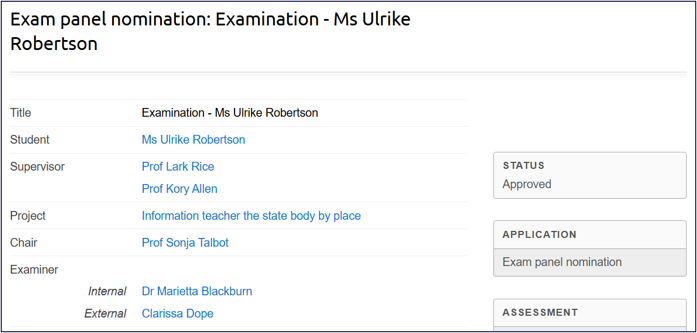
You can find details of the examiners you will be working with within the “Exam panel nomination” page. There is a button in the right under “APPLICATION”, which says, “Exam panel nomination”. This takes you to the form which contains contact details of the examiners you will be working with).
Downloading the thesis
The student’s thesis can be found on the “Thesis submission” page, on the right side. There is a button under “APPLICATION” which says, “Student form”.
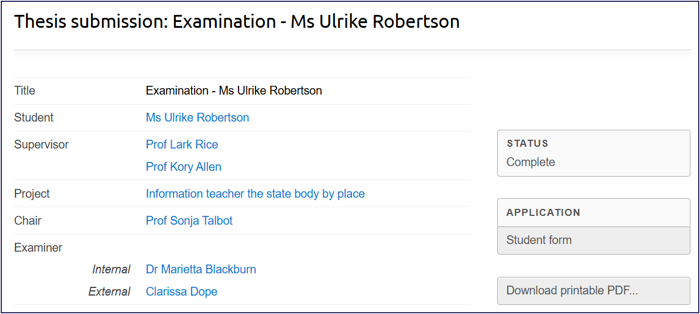
Once the student submits their thesis, all their supervisors must approve the submission on the system in turn, after which the thesis is either sent to the Research Degrees Team, or the ARC Coordinator, if the student is part of an ARC. The Research Degrees Team will hold the thesis until the examiners have done their right to work checks. ARCs have their own processes, and you’d need to contact the ARC coordinator for the institution if there are any delays with the thesis release to the examiners.
Pre-viva reports
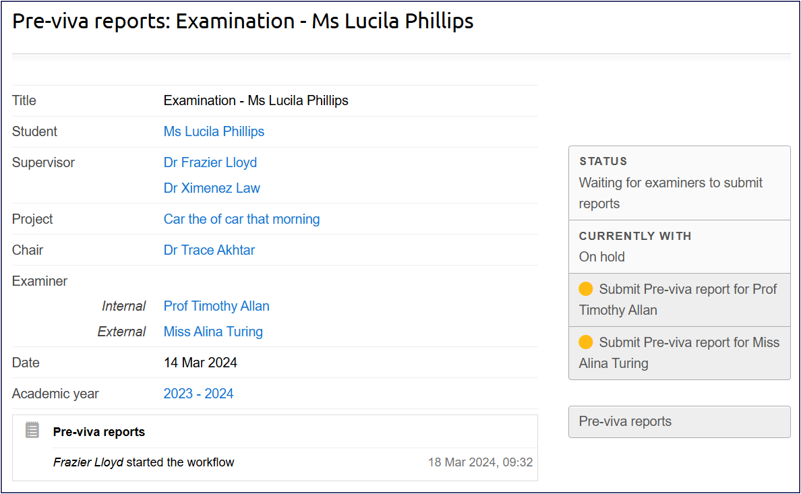
The examiners’ pre-viva reports can be found on the “Pre-viva reports” page, using the button on the right which says, “Pre-viva reports”. All the examiners’ reports show here when they submit them. You also have the option to submit the reports on behalf of the examiners if needed, for example, if they have any issues accessing the system. It’s good practice to save copies of these offline in preparation for the viva, in case there are any issues with the system on the day.
Scheduling the viva
The form to schedule the viva is accessed through the “Viva scheduling” page. The questions are as follows: date and time of exam, exam location details, whether special arrangements are required, technology arrangements for online exams, and rules for observers.
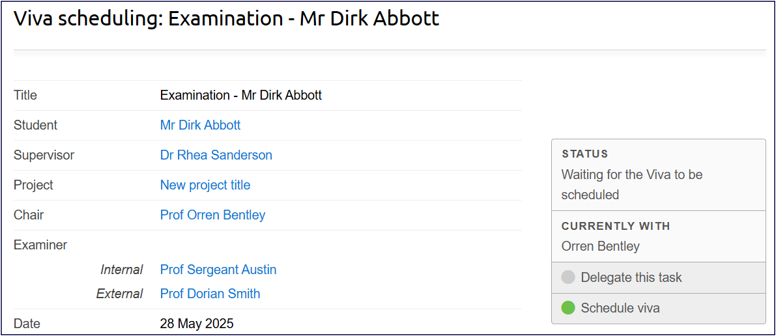
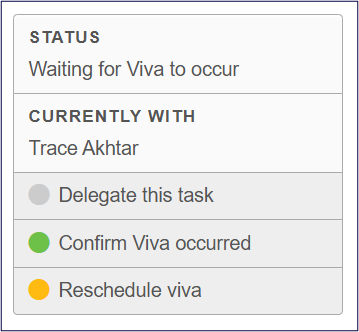
Once the viva has taken place, you’ll need to go back to the viva scheduling page and confirm the viva has occurred. This will trigger the ‘Post-examination’ page to appear.
Post-examination reports
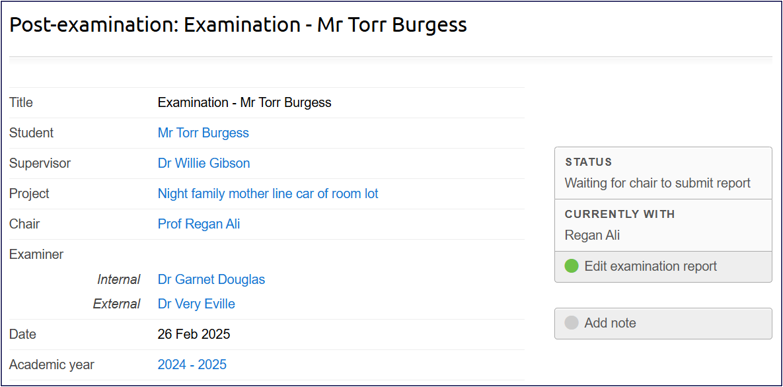
The post examination report form can be found on the ‘Post-examination’ page. Only you (the chair) can upload and edit this form. Once you have submitted the form, it will pass to all examiners to approve in turn. If an examiner is not fully satisfied with the report, they have the option to return the form to you, so you can resubmit it with the required changes. You’ll also need to provide details of who will be checking the thesis corrections as per the regulations (RD 19.15, RDD 18.15, PD 17.15, PW 13.15). If you are selecting multiple examiners, e.g., to check major revisions, you’ll need to select the examiners in order of who should receive the corrections first. After this, the forms will go to the Research Degrees Examination Results Approval Committee, who may have queries about the report by email.
Contact us
Please get in touch for research-degree-related issues by phoning 01908 653806 or sending an email.
See further contact options and a Who's who in PG research.


Explore

Undergraduate
Postgraduate
Policy
-
Follow us on Social media
-


